To configure a static IP address on AlmaLinux 9, follow these steps.
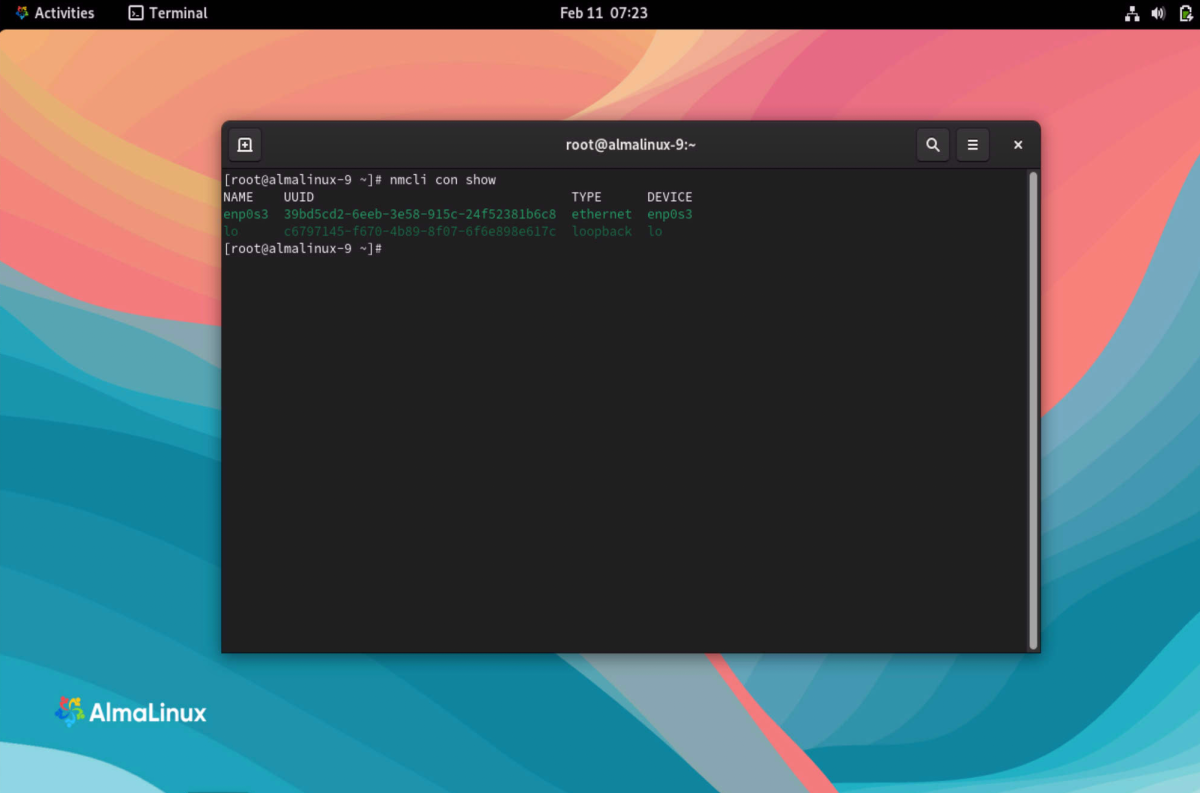
Step 1: Get the Interface Name and UUID
Run the following command to list all network interfaces with their respective UUIDs:
Step 2: Set the IP Address
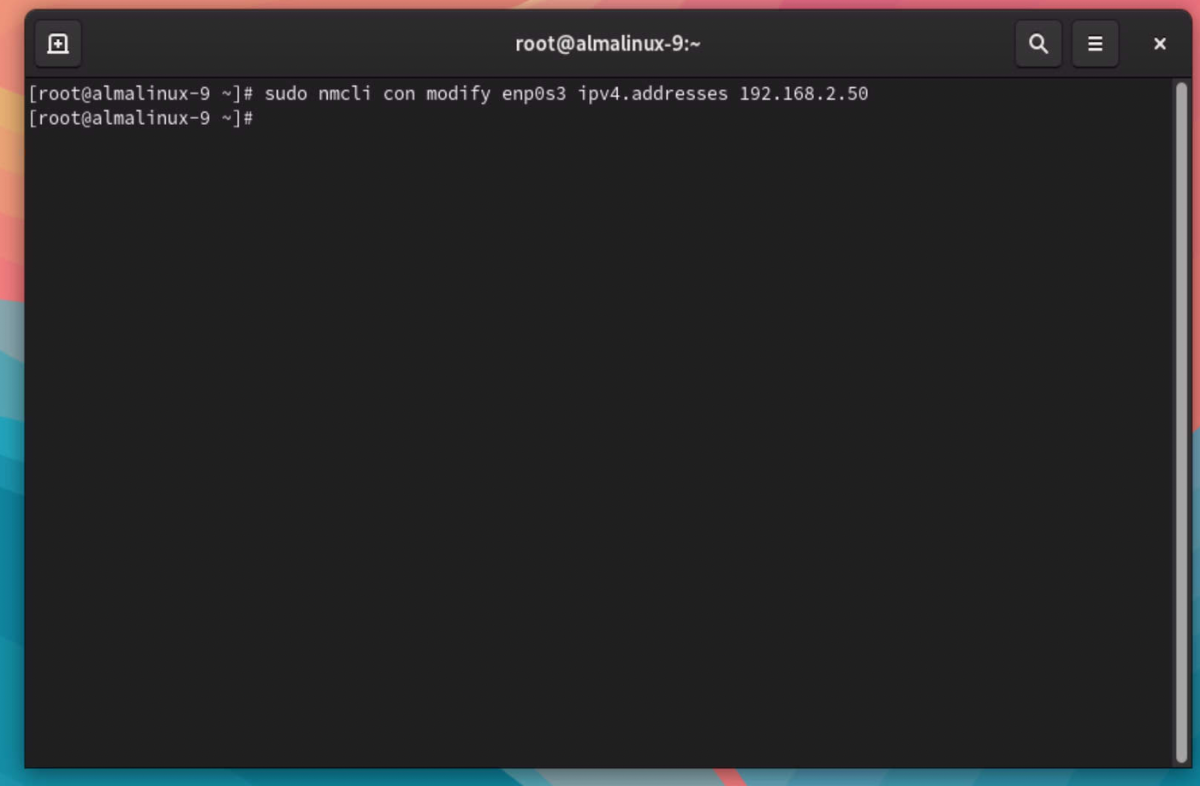
Use the following command to assign a static IP address to your chosen interface (replace enp0s3 with your actual interface name):
Step 3: Set the Default Gateway
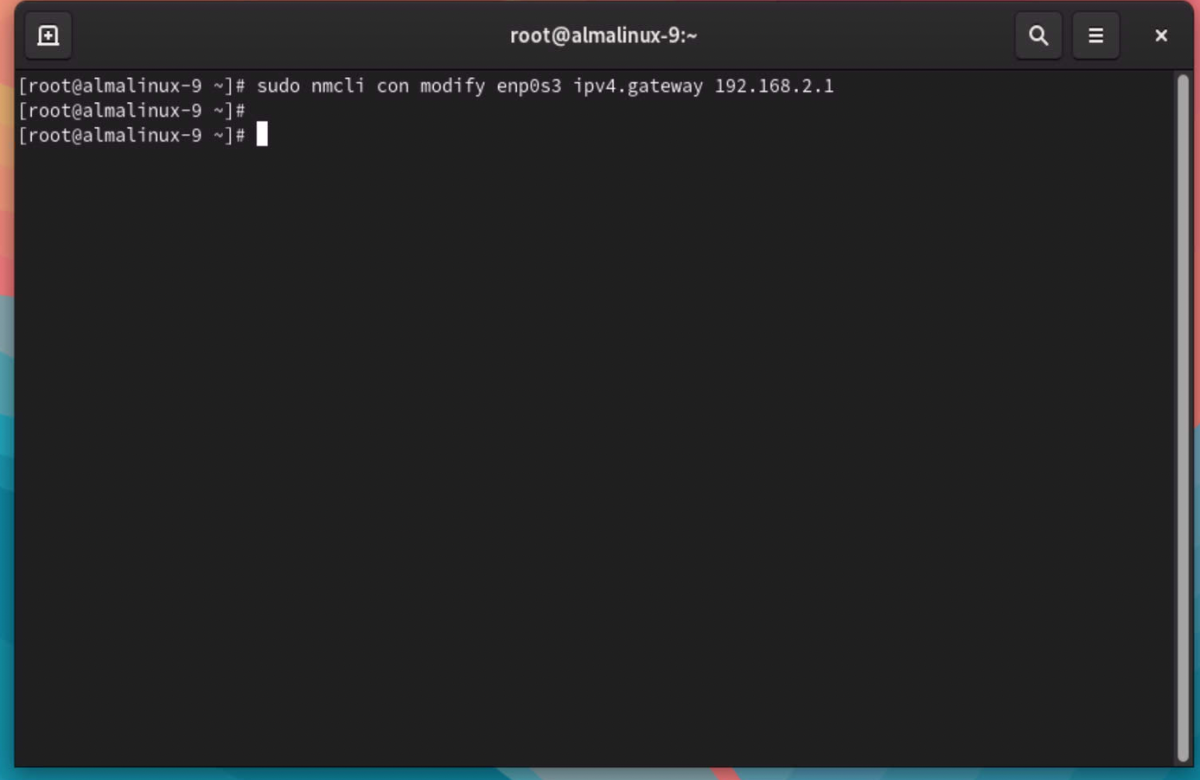
Set the default gateway for your network:
Step 4: Configure DNS Servers
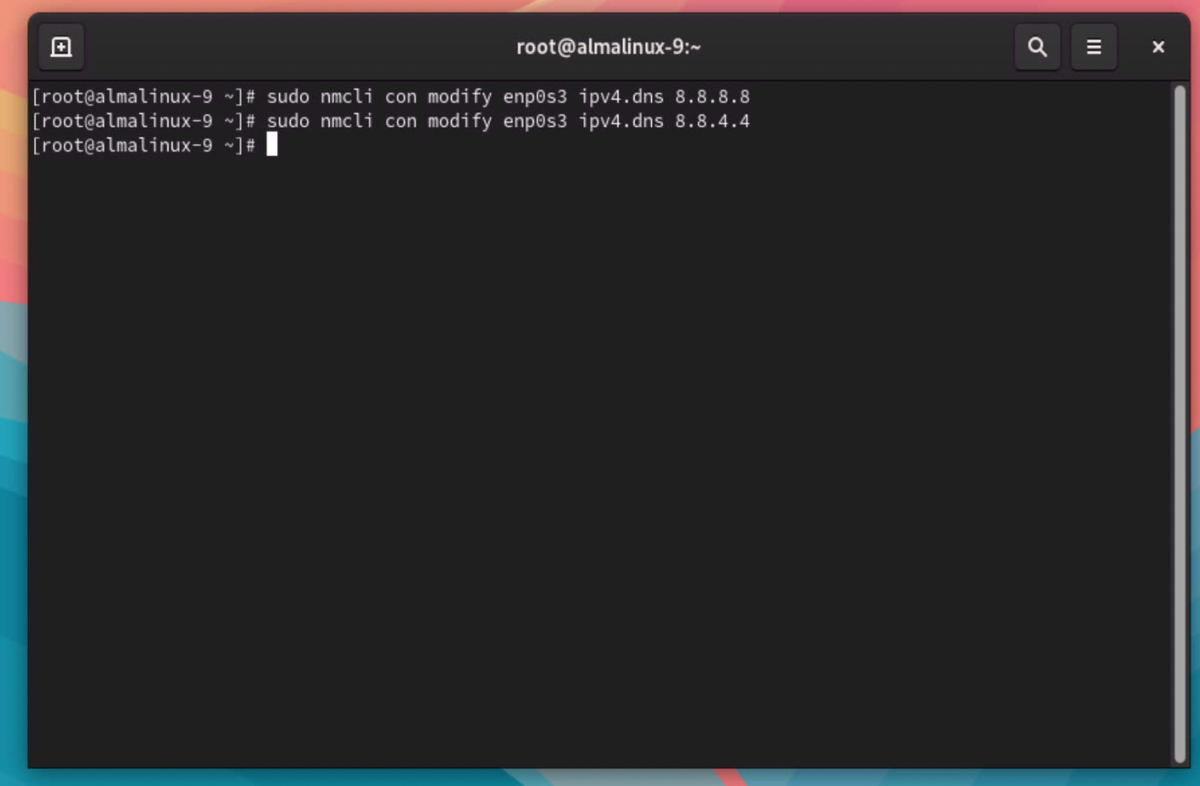
Add DNS servers (use Google DNS as an example):
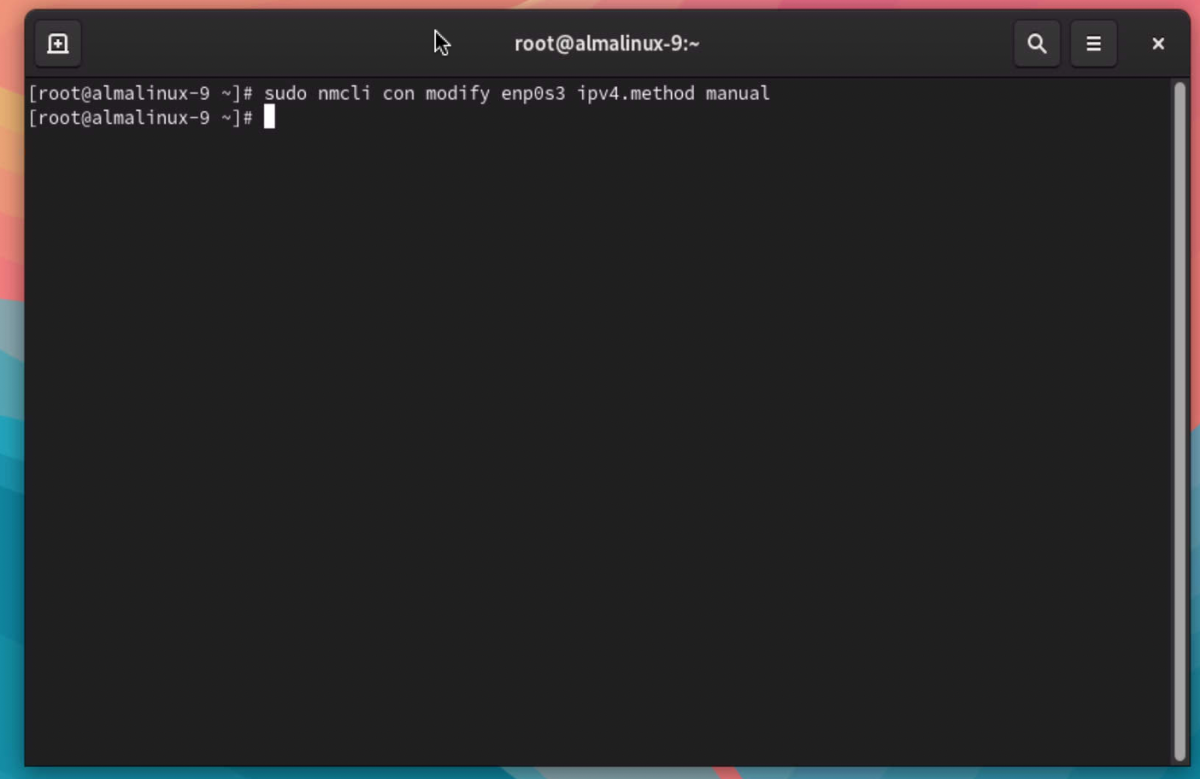
Step 5: Set the Connection Method to Manual
Ensure the network connection uses manual configuration:
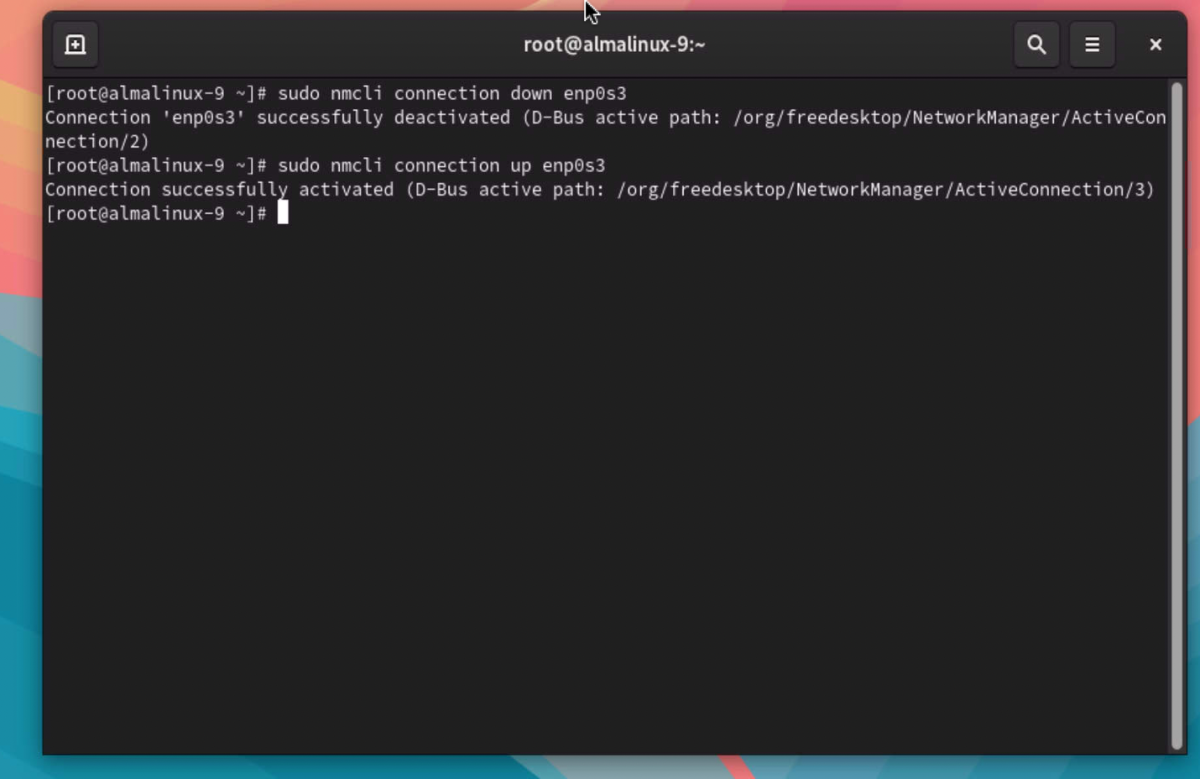
Step 6: Restart the Network Service
Reload the network configurations for the changes to take effect:
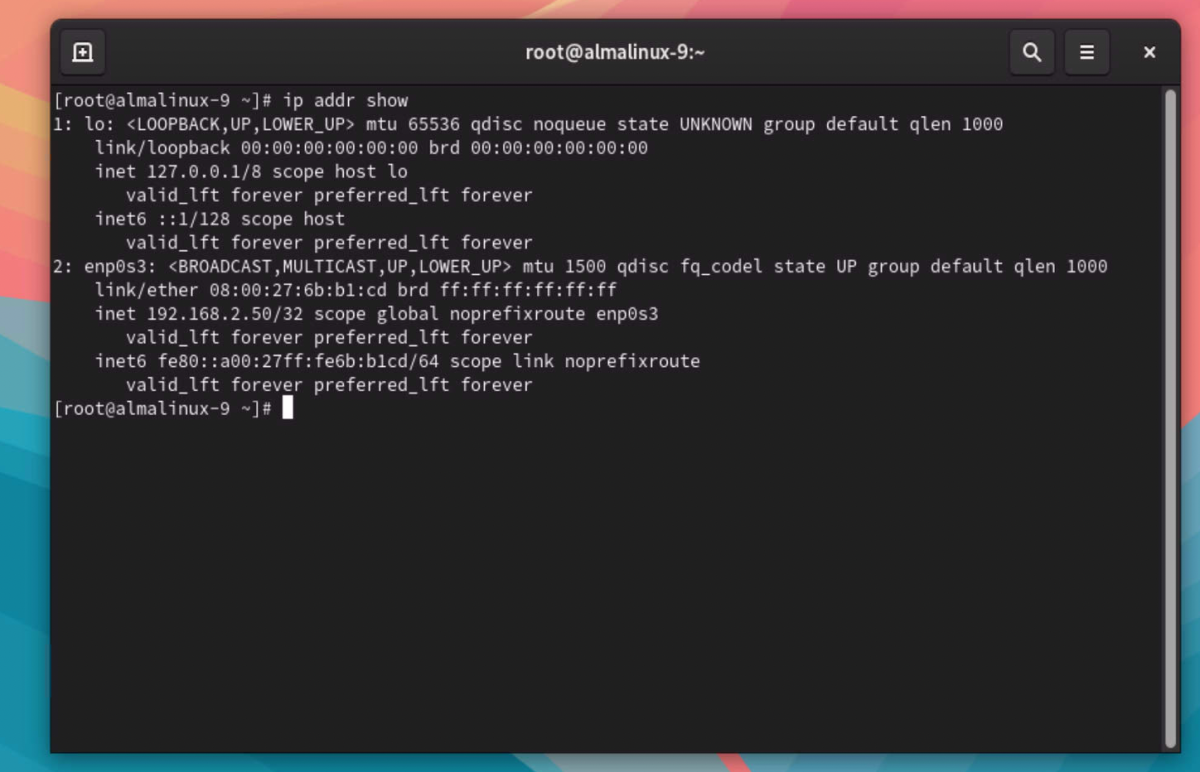
Step 7: Verify the IP Address Configuration
Check if the static IP address is configured correctly:
Conclusion
Congratulations! You have successfully configured a static IP address on AlmaLinux 9.